
Publish page
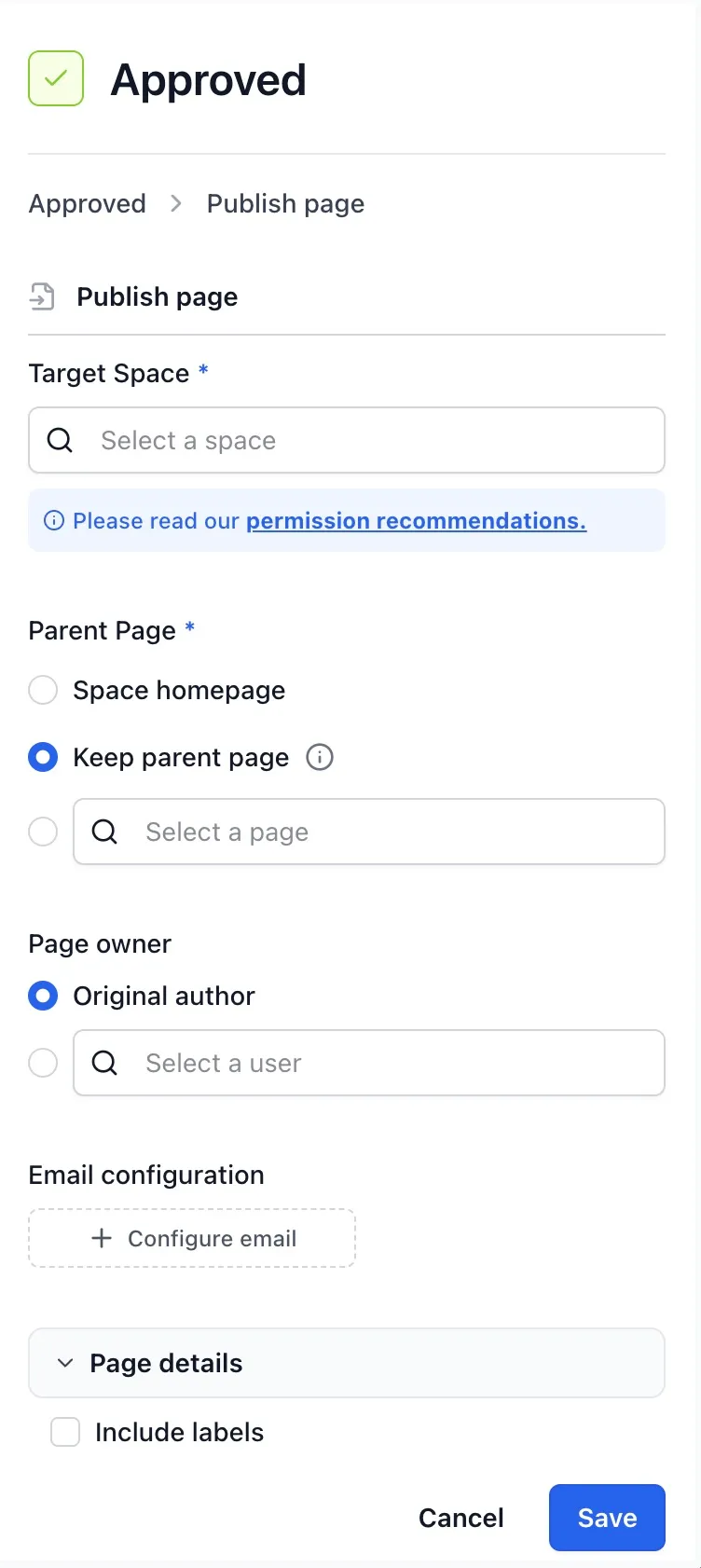
The Publish page action copies a page into another space. It’s the workhorse of any “draft here, publish there” workflow: an author edits in a working space, the page moves through review, and on entry to a Published state Aura Workflows mirrors the approved version into the public space.
The action runs last, after every other action on the state has finished, with a one-second pause first to let Confluence settle the writes from the main phase. The published copy therefore reflects the fully-applied post-transition state of the source page (any Modify title, Set official version, Manage labels, or Add restrictions on the same state has already been applied to the source by the time the publish reads it). See the actions overview for the diagram and the full execution model.
What gets copied
Section titled “What gets copied”Publish copies a single page. Descendants are not included: for a whole subtree, run a workflow that publishes each page on its own transition.
The body, title, page properties, and attachments are always copied. Include labels is a checkbox: leave it off and the published page starts with no labels, turn it on and the source page’s labels are applied. Restrictions are never copied; the published page inherits whatever the target space provides, and you can layer Add restrictions on the same state to lock it down.
Internal links inside the page are rewritten as Aura Workflows copies. Links pointing at other pages in the source space are translated to their equivalents in the target space when those pages have been published there too, using the same source-to-published mapping the action maintains for itself. Links to pages with no published counterpart, or to anything outside the source space, pass through unchanged.
Target space and parent
Section titled “Target space and parent”Target space is set in one of two ways. Pick a specific space and the action publishes there every time. Pick a space variable and the destination is read from that variable at transition time, which is useful for templates applied across many spaces, where each space carries its own publishing target. Variables resolve at run time; changing one later does not affect publishes that already happened.
Parent page has three options. Space homepage drops the published page directly under the target space’s homepage. Keep hierarchy preserves the source page’s parent: if that parent has itself been published into the target space, Aura Workflows nests the new page underneath it; if the parent is a folder, Aura Workflows looks for a folder of the same title in the target space and creates one if it doesn’t exist. Select page pins a specific parent in the target space, only available with a fixed target, since a free-form picker doesn’t make sense against a variable destination.
Page owner
Section titled “Page owner”Owner controls who Confluence shows as the page’s author in the target space. Original author copies the source page’s author across. Specific user assigns a fixed user, handy when every published page should read as authored by a content lead or a service account. The picker accepts a fixed user or a user variable; groups are not allowed, since Confluence ownership resolves to a single account.
The action publishes by impersonating the configured owner: the original author of the source page if Owner is set to Original author, or the user picked under Specific user. This is not just attribution: Confluence checks page and attachment permissions as that user. The owner needs Add and Delete permissions for both Pages and Attachments in the target space so Confluence can create or update the page and copy its attachments. The user who triggered the transition is not involved. If Confluence returns a permission error while creating or updating the page, Aura Workflows falls back to publishing as the app and transfers ownership to the same owner once the copy completes. The fallback only kicks in on a permission error; other failures, such as a missing space or a deleted parent, surface as a per-action error in the page history without affecting the transition itself.
Re-running and the source/published link
Section titled “Re-running and the source/published link”The action is repeatable. Each time the page enters the state, Aura Workflows looks for the page it published last time and updates it in place rather than creating a duplicate. The lookup uses an internal mapping recorded on the first publish; if that mapping is missing (for example because the workflow is being re-applied), Aura Workflows falls back to a title match in the target space and adopts whichever page it finds. Once a target page is paired with a source, every subsequent publish updates that target.
The mapping is bidirectional. Aura Workflows ships a Publish link metadata macro that renders, on the source page, a link to its published copy, and on the published page, a link back to the source. It reads the same mapping the action maintains, so the link appears as soon as the first publish completes.
Email on publish
Section titled “Email on publish”Email configuration is the same builder used elsewhere in the app. Turn it on to send a notification when a page is published, with the usual recipient choices and a message body that can include formatting plus placeholder chips for workflow variables, workflow metadata, and page details. Placeholders resolve after the copy succeeds, using the current source-page values. If the email itself fails, the publish is still recorded as successful. See Email configuration for the field-by-field reference.
Permissions
Section titled “Permissions”The action needs the configured owner (the original author or the user picked under Specific user) to have Add and Delete permissions for both Pages and Attachments in the target space. If they do, the page is published on their behalf and they appear as the author in Confluence. If Confluence returns a permission error while creating or updating the page, the app publishes as itself and transfers ownership over once the copy is in place. The triggering user (the reviewer who approved the transition) does not need any permission in the target space.
Read access on the source page is needed by whichever identity is doing the copy: the configured owner in the normal path, or the app in the fallback. For routine setups, the practical rule is to check that the people you list as authors (or the Specific user account a workflow is pinned to) have Add and Delete permissions for Pages and Attachments in every space the workflow can target, especially with a variable-driven target. The form surfaces a recommendation when you pick a target space.