
Status macro
The Status macro renders a small inline badge showing the current workflow state of the page it’s embedded on. It picks up the state’s name, icon, and color from the workflow definition, so a page sitting in a Draft state shows a Draft badge in the workflow’s chosen color, and updates to a Published badge once the page transitions.
Adding the macro
Section titled “Adding the macro”In the page editor, open the macro picker and choose Aura Workflows Status. The badge appears inline at the cursor, a single-line element that drops cleanly into prose, a heading row, or a table cell. There are no configuration options; the macro reads from whichever workflow is currently applied to the page.
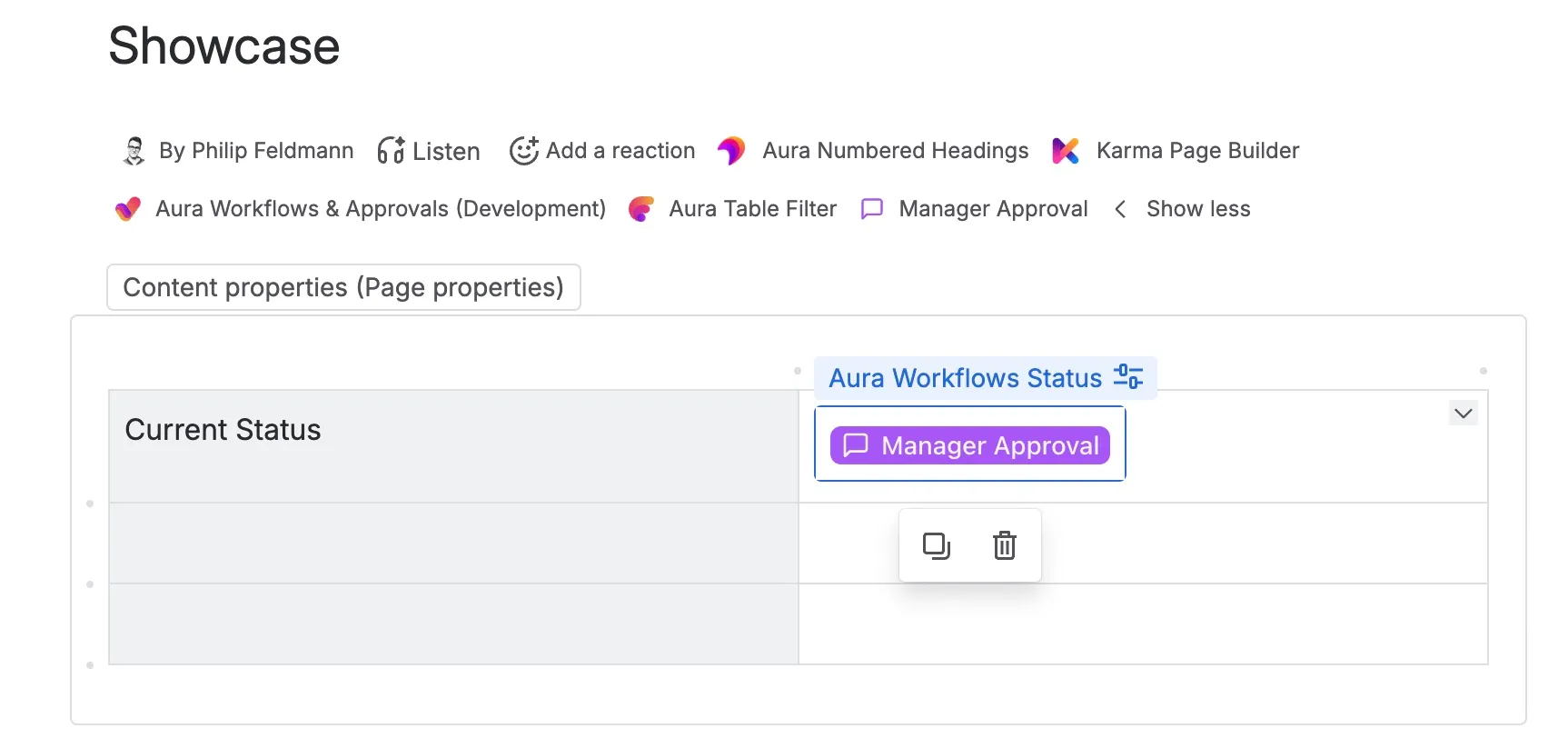
Behavior
Section titled “Behavior”The badge shows the current state’s name. The icon and background color match what was configured for that state in the Workflow Builder, so visual cues stay consistent with the page byline and the workflow diagram.
When the page transitions to a new state (through an approval, a selection, an expiration, or a page-edit event) the macro reflects the new state on the next render. Confluence doesn’t push live updates into the page body, so an open tab continues to show the previous state until the page is reloaded; the byline behaves the same way.
If the page has no workflow applied, the macro renders a neutral badge reading “No workflow applied” rather than disappearing. The same fallback covers a workflow that’s been detached after the macro was embedded, so there’s no need to remove it manually.
Anyone with view access to the page sees the badge, mirroring the byline. There are no controls or actions on the macro, so there’s nothing to gate beyond page visibility.
On a PDF or Word export, the macro renders as the plain text name of the current state. The badge styling doesn’t survive, but the state name does.
When to use it instead of the byline
Section titled “When to use it instead of the byline”The page byline already shows the current state on every workflow-controlled page, automatically and for every viewer. The Status macro is for the cases where that’s not enough: when you want the state visible inside the page content rather than only in the page header, when you want it close to a specific section of the page, or when the byline tends to be collapsed on long pages and you’d rather have the state called out near the top of the body. The macro always reflects the workflow on the page it lives on, not on a linked page, so it’s a within-page accent rather than a cross-page dashboard element.
For richer surfaces of the same workflow data (reviewers, history, metadata) see the other macros.