
Metadata macro
The Metadata macro renders a single piece of workflow- or page-related data inline in the page body. Each macro shows one field; place multiple macros for multiple values.
Configuring the macro
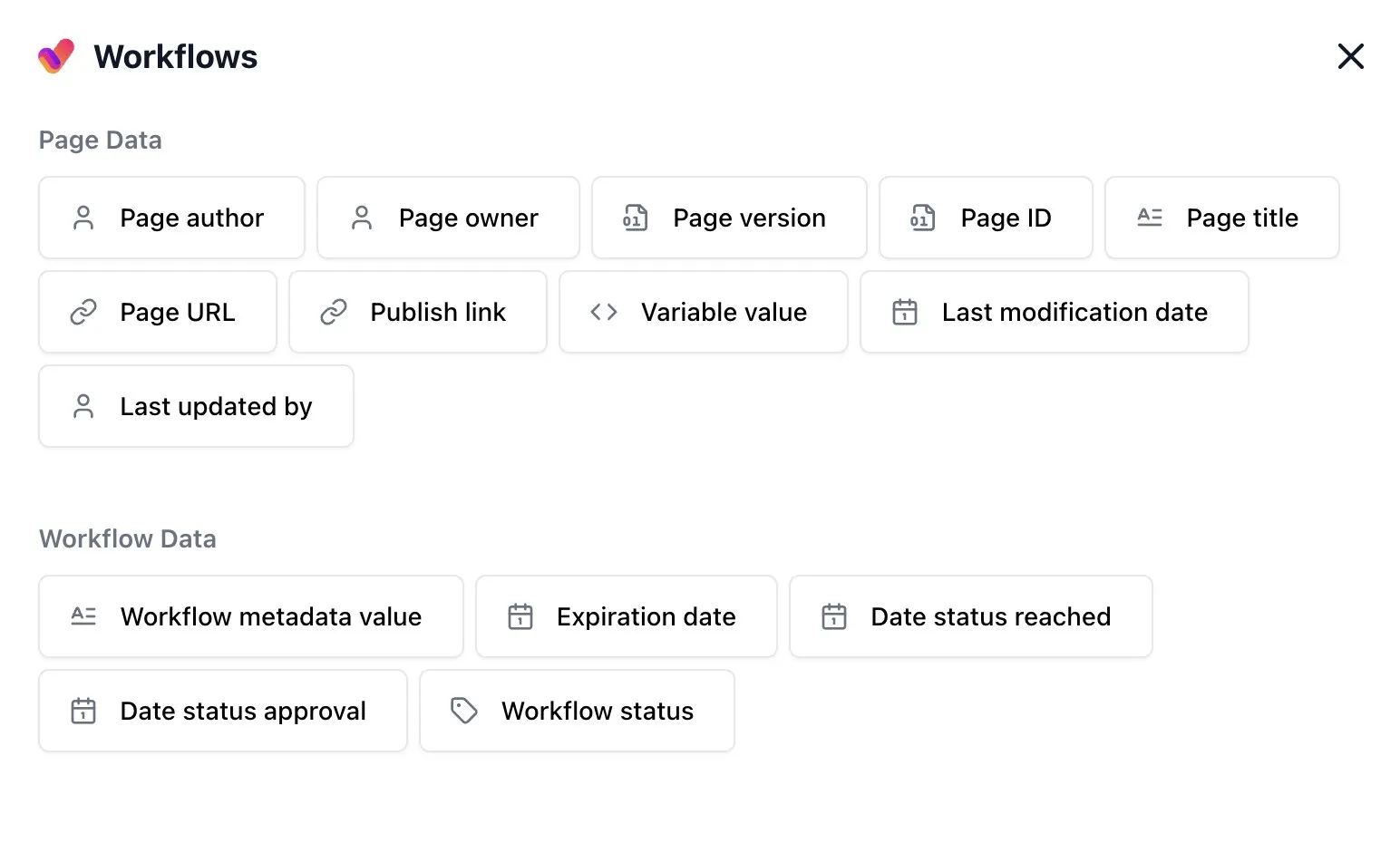
Section titled “Configuring the macro”Inserting Aura Workflows Metadata from the editor’s macro picker opens a configuration dialog split into Page Data and Workflow Data. Page Data items read from the Confluence page itself: Page author, Page owner, Page version, Page ID, Page title, Page URL, Last modification date, Last updated by, Publish link, and Variable value. Workflow Data items read from the workflow attached to the page: Workflow metadata value, Workflow status, Expiration date, Date status reached, Date status approval, and Approvers.
Most items commit as soon as you pick them. Configurable items carry their own settings panel, indicated by a gear icon on hover. Variable value asks for a workflow variable name. Workflow metadata value asks for a workflow metadata field name. Date status reached and Date status approval ask for one or more state names and whether to take the first or last occurrence; the approval variant also asks whether to count approvals or rejections. Approvers asks for the approval state name and shows the users who approved that state the last time it completed by approval. In-progress approvals are not shown until the approval step completes, so a new partial review does not replace the previous completed approver list. Expiration date asks whether to read the current state or a specific named one. Publish link has no settings but behaves directionally: on a source page it links to the published copy, and on the published copy it links back.
The difference between Variable value and Workflow metadata value maps to the two stores documented in variables and metadata fields. Variable value resolves an @-prefixed workflow variable, the same names that drive reviewer lists, expirations, and publish targets. Workflow metadata value resolves a field defined in the workflow’s Additional Metadata section, populated from the Page variables modal.
Every item except Publish link offers a Base value on original page toggle. On (default), the macro reads from the source page and its workflow at the time of publishing, falling back to the current page when no link exists. Off, the relationship reverses. This matters mostly for publish-flow workflows where a draft is mirrored to a published space.
Values are locked in on published pages
Section titled “Values are locked in on published pages”The lock-in is what makes Confluence’s per-version page history correct: scrolling back through previous versions of the published page shows the values that were live when each version was published, not the current ones. The behavior only applies when the toggle is on; turn it off and the macro resolves freshly on every render at the cost of historical accuracy.
The toggle is also why the macro editor refuses to open on a published page. Opening it on the source page is the only place edits make sense.
Source-page history is not snapshotted
Section titled “Source-page history is not snapshotted”The lock-in only applies to published pages. The source page’s version history continues to render every metadata macro live, so scrolling back through previous versions of the source page shows today’s values everywhere, not the values that were current when each source version was saved. There is no equivalent capture path on the source side because the source page is treated as a working draft, not a record.
For day-to-day editing this is rarely felt: the people working on the source page are looking at current state. When historical accuracy matters (audits, compliance reviews, change-tracking) treat the published page as the source of truth. Its per-version history is the one that preserves the values that were actually live at each point in time.
Rendering and types
Section titled “Rendering and types”Output is plain inline text in every case except Publish link, which renders as a link. Dates are formatted in the viewer’s locale with a long month name. Approvers renders Confluence user mentions for the users from the last completed approval of the configured state. Other user values render as display names; snapshotted user values on published pages can render as user mentions. Variable value and Workflow metadata value pointed at users-type fields join the resolved user and group names with commas in exports. Numbers and text render verbatim. Workflow status renders the current state name as plain text.
Empty, missing, and stale states
Section titled “Empty, missing, and stale states”The macro is forgiving: when there is nothing to show, it renders nothing rather than an error. A Variable value or Workflow metadata value macro pointing at a name that does not exist, an Expiration date on a state that has no expiration, a Date status reached for a state the page has never entered, or any field on a page that is not running a workflow all collapse silently. Expiration date is the exception: when the workflow signals a reason (such as an indefinite expiration), it renders that message instead of a date.
Renaming or deleting the referenced variable, metadata field, or state leaves the macro pointing at a name that no longer resolves; the source page then renders nothing until reconfigured. Already-published pages continue to show the value that was captured when they were last published, because that snapshot lives on the page itself rather than in the workflow.
Live updates and multiple instances
Section titled “Live updates and multiple instances”On the source page (and on any page where Base value on original page is off), values are read fresh whenever the page renders; there is no per-page caching. A transition, a new approval, or an edited variable shows up on the next page load. On a published page with the toggle on, values are frozen until the next republish, as described above. A page can carry as many Metadata macros as needed, each configured independently. A typical summary block might combine Workflow status, Expiration date, Page owner, and a Variable value side by side.
See variables and metadata fields for background, or the macros overview for the full set.