
Reviewers macro
The Reviewers macro embeds the approval board for the page directly into the page body. It mirrors what reviewers see in the byline panel (the list of named reviewers, their decisions, comments, and how close the approval is to clearing) but in a block-level macro you can place wherever it makes sense alongside the content.
What it shows
Section titled “What it shows”The macro reads from whichever workflow is currently applied to the page. There’s nothing to configure when you insert it: drop it from the editor’s macro picker and it picks up the page’s workflow automatically.
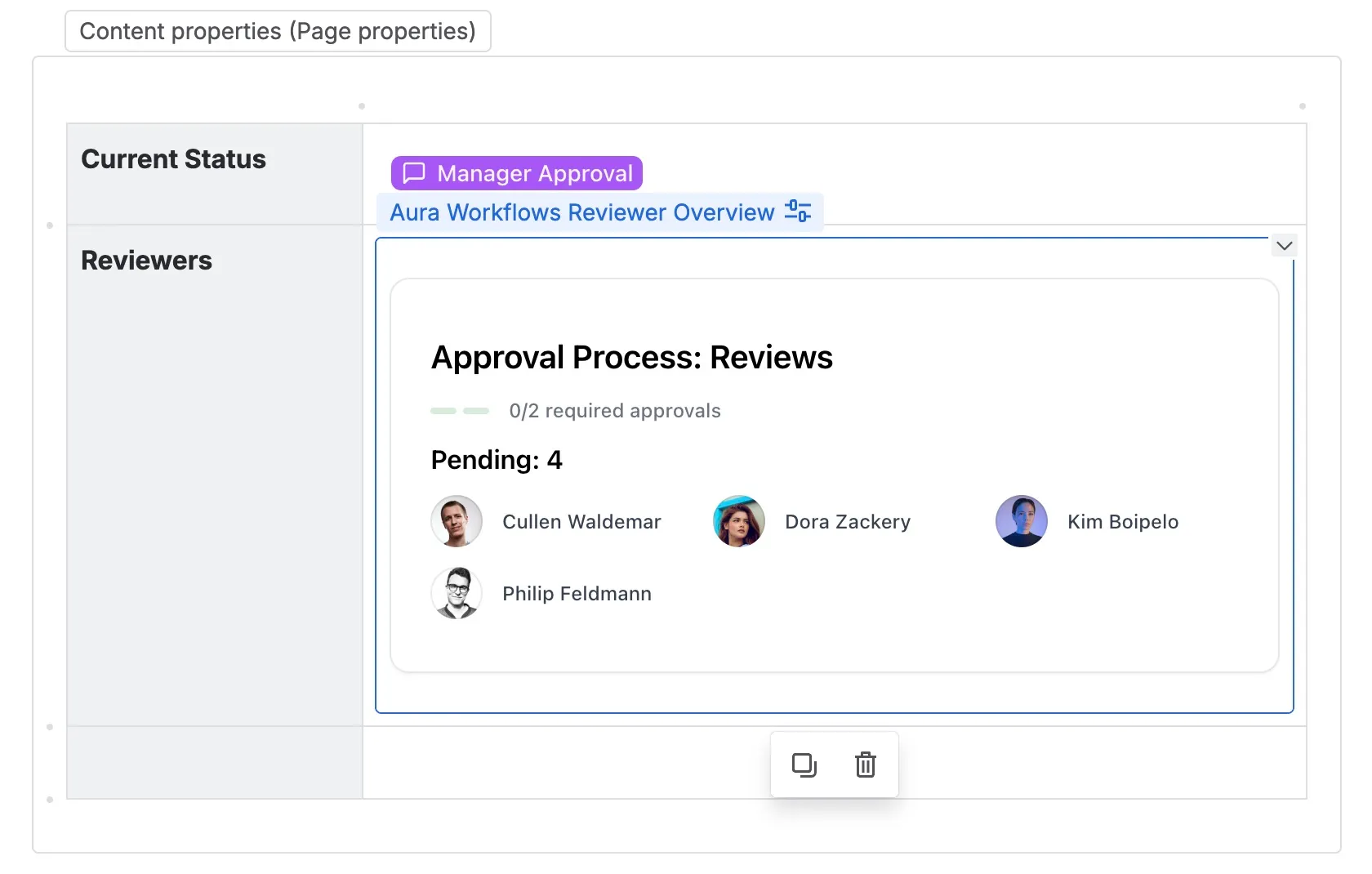
When the page is in an approval state, the macro renders the workflow name and a Reviews heading, followed by a progress indicator. The indicator counts approvals against the configured minimum (for example, 1/3 required approvals) and, if Min. rejections is greater than one, shows allowed rejections separately. Under Require all reviewers approval the denominator is the resolved reviewer count rather than a fixed number.
Below the progress, reviewers are grouped into three sections. Reviews lists everyone who has already approved or rejected, each as a card showing the reviewer, what they did, and the comment they left if there was one. Pending lists reviewers who haven’t acted yet. Groups lists any group reviewers; these don’t carry an individual status because group membership resolves at click time, so the group as a whole stays listed until the approval completes. See Approvals for how those rules are evaluated.
When the page isn’t in an approval state
Section titled “When the page isn’t in an approval state”The macro only has something to render while a gating approval is active. If the page is in a state that doesn’t gate on approval (a draft, a published terminal state, a selection-based step) the macro shows the workflow name and a short note that the current state is not a review state. It doesn’t disappear; it stays visible so it’s obvious why the board is empty.
If no workflow is applied to the page at all, the macro instead surfaces the workflow apply controls, the same ones the byline shows. Anyone with permission to apply a workflow can do so from the macro itself.
Display only
Section titled “Display only”The macro is read-only. There are no Approve or Reject buttons inside it, no Add your review action, and no way to manage reviewers from the macro body. Voting and reviewer management live in the byline panel and the approval dialog; see Reviewing content. The macro is the board; the byline is the controls. Embed it freely for visibility without giving every viewer of the page an inline button to act on.
Permissions and live behavior
Section titled “Permissions and live behavior”Anyone who can read the page can see the macro and its full contents, including who’s been asked to review and what the standing votes are. There’s no per-reviewer filtering and nothing is hidden from non-reviewers. If you don’t want vote details on the rendered page, don’t embed the macro there.
The macro updates on page reload, not live as votes come in. A reviewer voting from the byline panel sees their action reflected immediately in that panel, but the macro embedded in the page body refreshes the next time the page is loaded. Once the approval resolves and the page transitions out of the review state, the macro switches to its no-review-state rendering on the next load.
For the full set of page-level macros, see Macros.